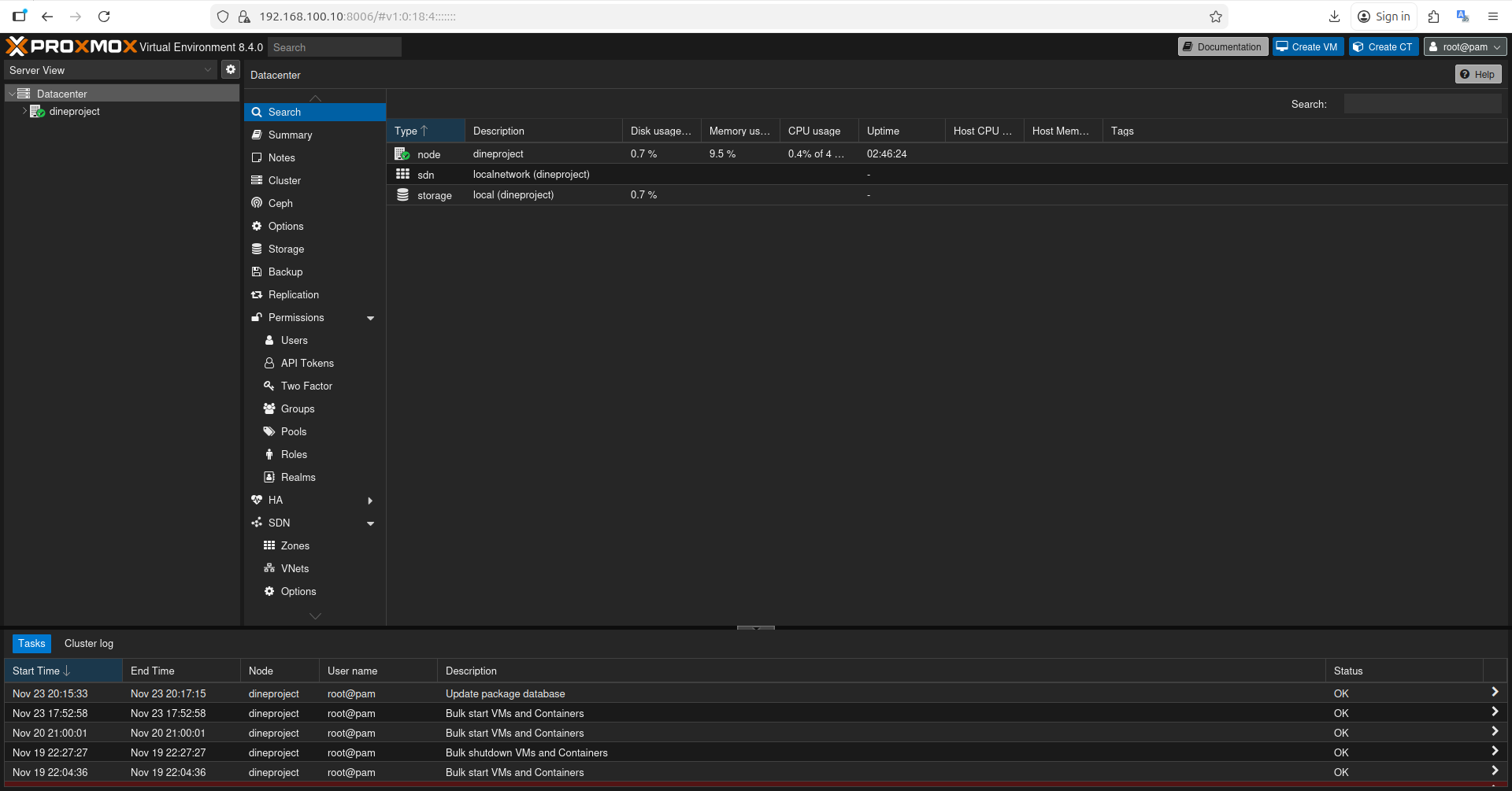
Proxmox Network Setup via WiFi
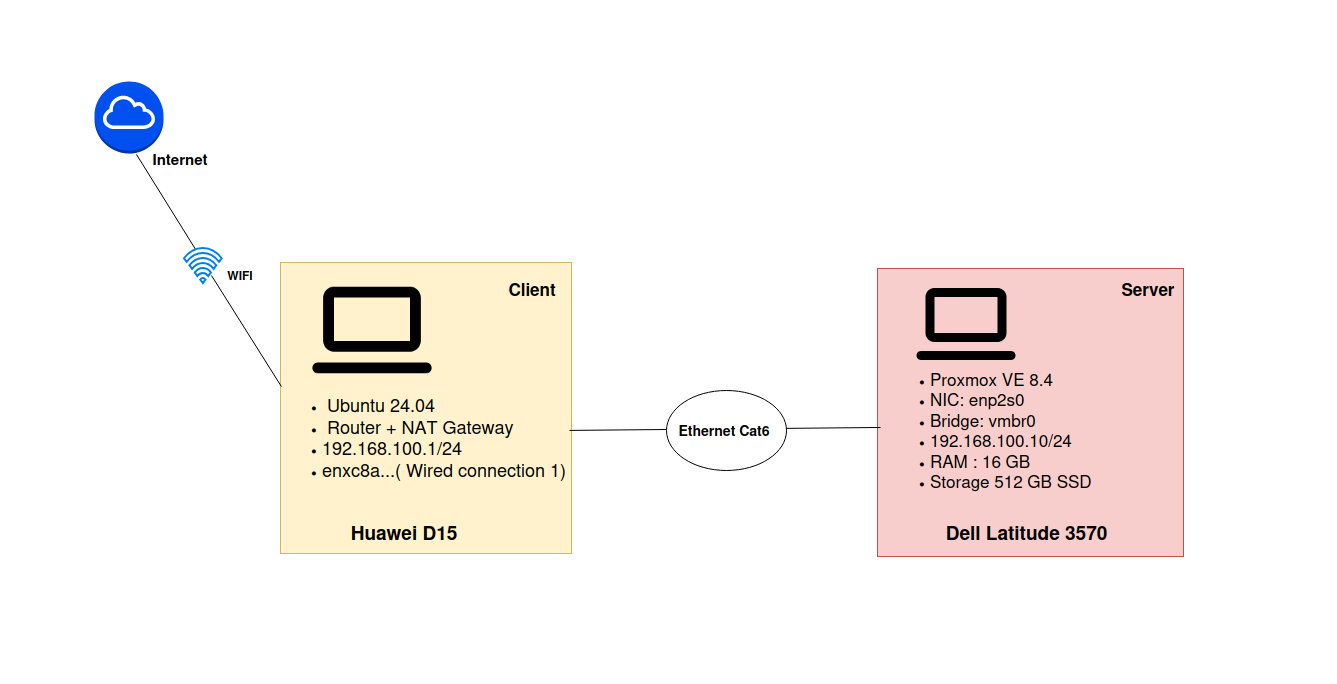
Direct Connection Between Dell and Huawei
After installing Proxmox (following the official documentation and community guides), the next step was to access the web interface. Since Proxmox does not support WiFi, I needed to connect my Dell server directly to my Huawei laptop using an Ethernet cable. The Huawei must act as a router and NAT gateway to provide Internet access to the Dell and to the virtual machines.
1. Creating the LAN and Testing Connectivity
The first step was to create a simple local network between the two machines.
1.1 List existing connections on the Huawei
1
nmcli connection show
Relevant output:
1
Wired connection 1       141bf131-e88a-356a-be4b-84e0b473961f   ethernet   enxc8a...
This confirms that the Huawei Ethernet interface is named Wired connection 1.
1.2 Assigning Static IP Addresses
Both machines must be in the same subnet.
On the Huawei (Ubuntu)
1
2
nmcli connection modify "Wired connection 1" ipv4.method manual
nmcli connection modify "Wired connection 1" ipv4.address "192.168.100.1/24"
The Huawei becomes the gateway of the LAN.
On the Dell (Proxmox)
File: /etc/network/interfaces
1
2
3
4
5
6
7
8
9
10
11
auto enp2s0
iface enp2s0 inet manual

auto vmbr0
iface vmbr0 inet static
    address 192.168.100.10
    netmask 255.255.255.0
    gateway 192.168.100.1
    bridge-ports enp2s0
    bridge-stp off
    bridge-fd 0
Explanation
enp2s0is the physical Ethernet interface.vmbr0is the Linux bridge (virtual switch).- The IP address of Proxmox is assigned to the bridge, not the physical interface.
- All VMs connected to the bridge will use this LAN.
1.3 Connectivity Tests
Performed tests:
- Ping from Huawei to Dell: success
- Ping from Dell to Huawei: success
The LAN is working.
But:
- Ping from Dell to Internet (1.1.1.1): failure
This is normal because the Huawei is not routing packets yet.
2. Enabling Routing and Configuring NAT on Huawei
Huawei must act like a router.
2.1 Enable IPv4 forwarding
1
sudo sysctl -w net.ipv4.ip_forward=1
This allows Linux to forward packets between interfaces (Ethernet to WiFi).
2.2 Configure NAT (MASQUERADE)
1
sudo iptables -t nat -A POSTROUTING -s 192.168.100.0/24 -o wlp0s20f3 -j MASQUERADE
Explanation in simple terms:
- The Dell uses a private IP address (192.168.100.10).
- It cannot access the Internet with this address.
- The Huawei rewrites the source IP using its WiFi address before sending packets out.
- Responses are translated back and forwarded to the Dell.
Parameters:
POSTROUTING: rule applied after routing.-s 192.168.100.0/24: local network to translate.-o wlp0s20f3: outgoing WiFi interface.MASQUERADE: dynamic NAT.
Verification:
1
sudo iptables -t nat -L -n -v | grep MASQUERADE
3. Final Tests
Results:
- Ping from Dell to Huawei: success
- Ping from Dell to Internet: success
The Dell can now access the LAN and the Internet through the Huawei acting as a router and NAT gateway.
Accessing Proxmox Web Interface